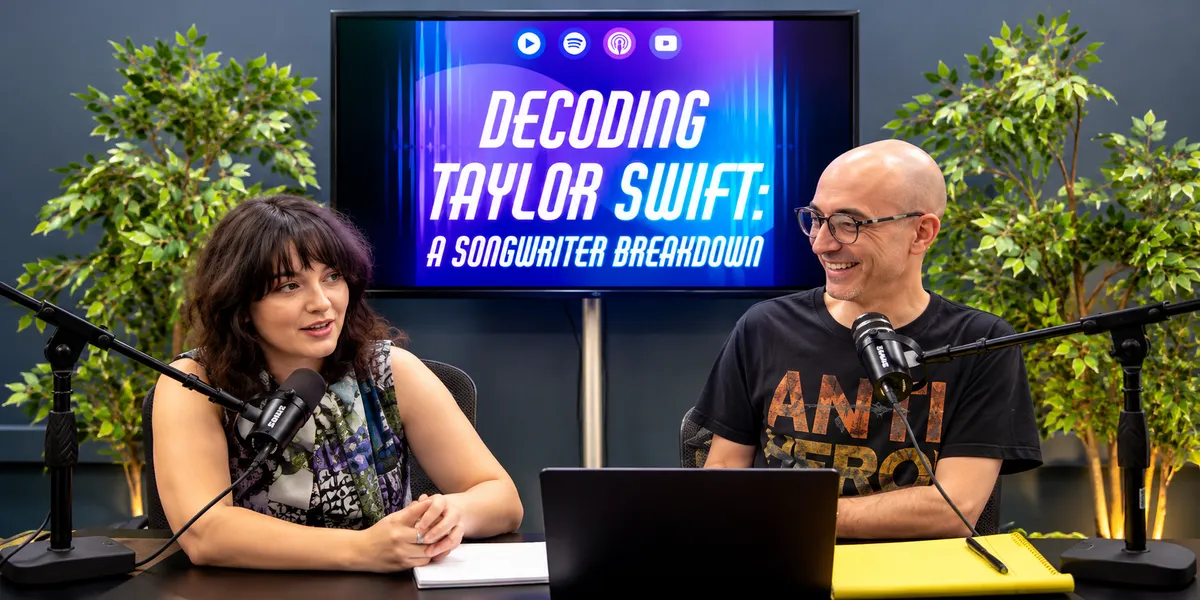
Why Video Podcast Production Matters for Modern Podcasts
A few years ago, a podcast was something you only heard. You'd queue it up on a run or during a drive, and the host was just a voice in your ears. That picture has changed. Today a lot of people find new shows by watching them, whether that's a full episode on YouTube or a thirty-second clip that stops their scroll. That shift is why video podcast production has moved from a nice extra to a core part of how shows grow. In this post, we'll look at what's driving the change, what good video adds for your audience, and how to approach it without losing the conversation that made your show worth hearing in the first place.
How Listening Habits Have Changed
Podcasts used to live almost entirely inside audio apps. You subscribed, new episodes showed up, and that was the whole relationship. Now the same audience moves between platforms all day. They might hear an episode in the car, then watch part of it on their laptop that night, then send a short clip to a friend the next morning.
Video Platforms Became Podcast Platforms
YouTube is now one of the places people go first when they want to find a podcast. Spotify and other apps also support video episodes, so viewers can switch between watching and listening without leaving the app. If your show only exists as audio, you're missing every one of those people who started looking with their eyes.
Short-Form Clips Drive Discovery
Instagram Reels, TikTok, and YouTube Shorts have turned podcast moments into discovery tools. A sharp answer, a funny exchange, or a strong opinion can travel much further as a vertical clip than a full episode ever could. Many listeners now find their next favorite show through a clip before they've heard a single full episode.
Record Your Next Podcast in a Professional Studio
HighLife Studios offers podcast recording and production with professional audio, video, lighting, and engineering support.
Explore Podcast ServicesWhat Video Podcast Production Adds to Your Show
Turning on a camera is easy. Producing videos that people actually want to watch is a different job, and the gap between the two is where a lot of shows lose viewers in the first minute.
Connection You Can See
Video lets people read faces. A raised eyebrow, a pause before an answer, or a guest leaning in to make a point all carry meaning that audio can't fully capture. Viewers feel like they're sitting at the table, which builds a stronger connection with hosts and guests over time.
More Content From Every Session
A single recording session can feed your channels for weeks. One well-shot episode becomes a full-length YouTube upload, a handful of short clips, a few still frames for posts, and an audio version for traditional apps. That kind of output is a big reason video has become standard for modern podcasts that want to grow without recording twice as often.
Credibility and Brand Value
Clean visuals signal effort. When the lighting is flattering, the framing is steady, and the set looks intentional, viewers assume the content is just as considered. For coaches, founders, and brands using a podcast to build authority, that first impression can shape whether someone hits subscribe or clicks away.
What Goes Into a Professional Video Podcast
The Building Blocks of Good Video
A strong video comes down to a handful of decisions made well. Get these right and the rest gets much easier.
Camera Setup and Angles
Most professional podcast shoots use more than one camera. A wide shot shows the whole table, while tighter shots on each person let an editor cut to whoever is speaking. That variety keeps the picture moving and holds attention through long conversations.
Choosing Cameras
Cinema-style cameras with large sensors give you a softer background and richer color than a webcam or phone. They also handle long recording sessions without overheating, which matters when an episode runs an hour or more.
Framing and Eye Lines
Where people look on camera matters. Guests should feel natural talking to each other, and each camera should be placed so that eye contact reads correctly in the edit. Small framing mistakes can make a relaxed chat look awkward.
Lighting That Flatters
Lighting is often the biggest difference between amateur and professional video. Soft, even key lights reduce harsh shadows and help skin tones look natural. A bit of background light adds depth, so hosts don't look pasted onto a flat wall.
Audio Still Comes First
It's easy to forget, but people will tolerate average video far longer than bad sound. Dedicated broadcast microphones, a treated room, and proper mixing and mastering keep the audio as strong as the picture. A video podcast is still a podcast, and the conversation has to sound great.
Editing Turns Footage Into an Episode
Recording is half the work. Editing decides how the finished episode feels. A good editor cuts between angles at the right moments, trims slow sections, and adds simple graphics like name titles or chapter markers. The goal is a show that feels lively without drawing attention to the editing itself.
Repurposing for Every Platform
For modern podcasts, each platform rewards a different format. YouTube favors horizontal full episodes with strong thumbnails. Short-form apps need vertical clips with captions, since many people watch with the sound off. Planning these versions during the shoot, rather than after it, saves a lot of time and produces better clips.
See the HighLife Podcast Studio
Explore the Washington DC podcast studio, recording environment, and available production setup.
Explore the DC StudioWhy Working With a Studio Pays Off
You can piece together a home setup, and some creators do well with one. But building a reliable multi-camera rig, lighting it properly, and syncing everything with clean audio takes time and money that most hosts would rather spend on their content.
At HighLife Studios, video podcast sessions run on Sony FX30 and Sony Alpha cameras, studio lighting, and Rode broadcast microphones through a RodeCaster Pro II, all set up and monitored by engineers. That means you walk in, sit down, and start talking.
One Team for the Whole Process
Keeping recording and editing together makes everything smoother. Our podcast recording and production services handle the shoot and the finishing work, so your episodes come out consistent from week to week. If you have questions about session lengths, file delivery, or what to bring, the studio FAQ page covers the most common ones.
A Creative Community Behind You
Recording in a shared studio also puts you around other creators. Artists, hosts, and producers trade ideas, appear on each other's shows, and push each other to improve. You can see more of that energy in the creator community built around the studio.
Get Answers Before You Record
Review booking details, session preparation, file delivery, podcast post-production, and other common studio questions.
Read the Studio FAQsMaking the Move to Video
If your show is audio-only today, you don't need to change everything at once. Start by recording your next few episodes on camera and posting the full versions to YouTube. Pull two or three short clips from each one and share them where your audience already spends time. Watch which moments get the most response, then shape future episodes around them.
When you're ready for a professional setup, you can get in touch to book a session and see how your show looks on a proper set. The audience is already watching. The question is whether they'll find you there.
Bring Your Video Podcast to Life
Book a professional podcast session and focus on the conversation while the studio handles the technical side.
Book With HighLife Studios